
Flow Batch
Bulk Prompt Queue for Google Flow
Personal Project
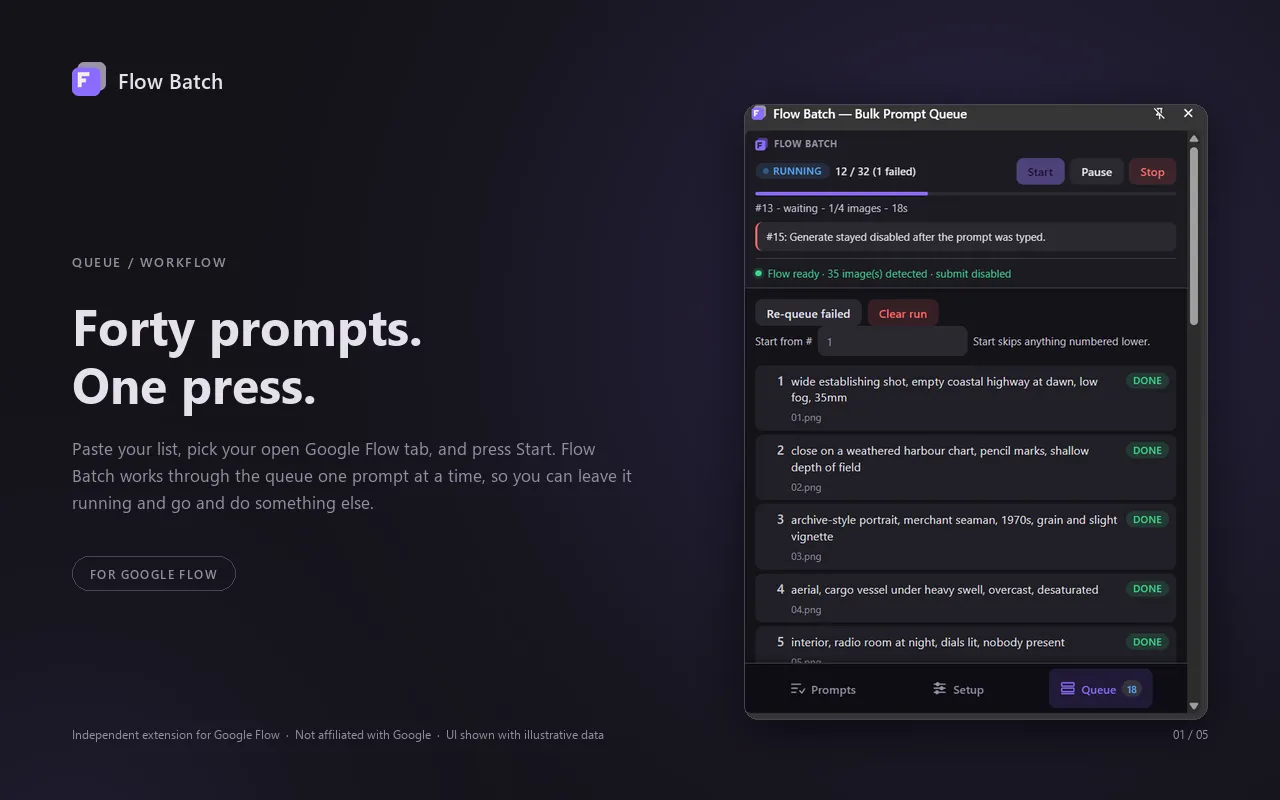
Published Chrome extension that turns a list of prompts into a folder of finished images. It queues every prompt into Google Flow, generates them one at a time, and saves each image to disk numbered by prompt order — a forty-prompt shot list becomes one press.
Key contributions
- Published on the Chrome Web Store: a Manifest V3 side-panel extension that queues a whole prompt list into Google Flow and saves every result named by prompt order (01.png, 17-2.png) with a filename template the user controls.
- Put the run loop in the service worker rather than the panel, so closing the side panel doesn't stop a batch — pause and resume, per-prompt retries, re-queue failed, and start-from-#, across runs over an hour long.
- Drove the page through the Chrome DevTools Protocol after proving Flow ignores synthetic clicks (isTrusted:false); the debugger attaches to the one selected tab only while a run is in progress and detaches the moment it ends.
- Detected finished images by hooking fetch/XHR in the page's MAIN world and reading result URLs out of the app's own responses, which removed DOM polling, settle timers and image-size heuristics from the hot path.
- Read Flow's model catalogue and per-model output counts from its API so the Setup tab fills itself in, and kept page selectors in a remotely updatable map so a markup change can be fixed the same day instead of waiting out a store review.
- Collects nothing — no accounts, no analytics, no telemetry. Prompts and images never leave the user's machine.
Quick start
- Install Flow Batch from the Chrome Web Store and pin it — the toolbar icon opens the side panel.
- Open Google Flow in a tab, select that tab in the panel's Setup tab, then pick the model, aspect ratio and outputs per prompt.
- Paste your prompts (or load a .txt file), press Start, and walk away — images land in Downloads/flow-batch numbered by prompt.
Free · Chrome 116+ · uses your own Google Flow account and credits. Independent tool, not affiliated with Google.